
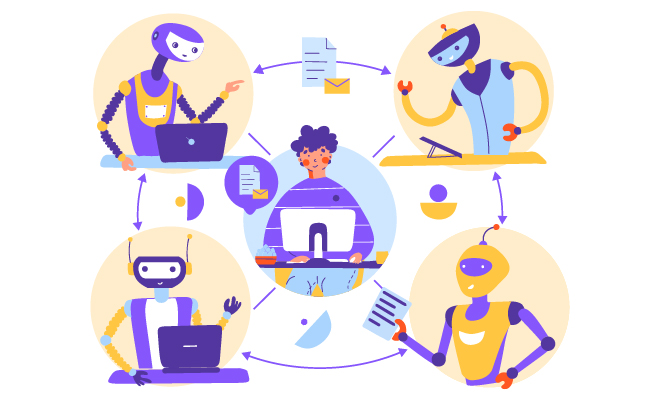
Contact center RPA uses software bots to handle repetitive tasks that don’t require thinking. Data entry, CRM updates, ticket creation. The kind of work that consumes hours of agent time daily without adding value. I’ve implemented RPA across multiple contact centers, and the results are consistent: 40 to 60% reduction in after call work time, better accuracy, and agents who can finally focus on actual customer problems.
The technology replicates what humans do with applications. Clicking buttons, entering data, navigating screens across multiple systems. The difference from traditional automation is that RPA works at the user interface level. No API development required. No system modifications. This makes it practical for the legacy systems most contact centers actually run.
A financial services contact center I worked with deployed RPA for after call work across 450 agents. Average handle time dropped from 8.2 minutes to 6.1 minutes. That created capacity equivalent to 95 full time employees. Agent satisfaction scores jumped 11 points because people spent time solving problems instead of updating systems.
What You Need to Know About RPA
Two bot types do the work. Attended bots sit alongside agents, triggering during customer interactions. When a call ends, the bot captures details and updates systems while the agent moves to the next customer. Unattended bots run scheduled workflows overnight, processing batch operations when nobody’s watching.
RPA works through UI automation or API integration. UI automation controls keyboards and mice, clicking through applications like a human would. It works with any system that has a user interface, including mainframes from 1985. API integration connects systems directly when APIs exist. Most implementations use both approaches based on what each system offers.
Traditional automation requires programming expertise and months of development. RPA platforms let business analysts configure workflows through visual designers in weeks. I worked with a telecommunications provider that implemented after call work automation in 6 weeks using RPA. The traditional development estimate was 4 months.
Where RPA Delivers the Biggest Impact
After Call Work Automation
After call work consumes 20 to 30% of total handle time. Agents update CRM records, document outcomes, categorize interactions, schedule follow ups, and complete compliance forms. An agent handling 40 calls daily spends 60 to 90 minutes on documentation.
RPA bots capture interaction details during calls and execute system updates automatically. When agents disconnect, ACW completion happens in seconds instead of minutes.
A retail contact center I worked with implemented ACW automation for customer service. The bot captured call transcripts through speech to text, extracted account numbers and issue types, updated the CRM with summaries, created tickets for unresolved issues, and logged call dispositions. Average ACW time dropped from 3.2 minutes to 0.8 minutes per call. That created capacity equivalent to 38 full time agents across 280 agents.
Target 60% or higher ACW time reduction with 95% or higher categorization accuracy.
Customer Data Lookup
Agents navigate 5 to 10 separate applications during typical interactions. CRM systems, billing platforms, order management, ticketing systems, knowledge bases. Each lookup takes 15 to 30 seconds while customers wait.
RPA bots aggregate customer information automatically, querying all systems simultaneously and presenting unified views. When customers provide identification, bots compile results into single dashboards within 3 seconds.
A healthcare insurance contact center I worked with implemented data aggregation for member inquiries. The bot retrieved demographics, plan details, claims status, prior authorizations, and contact history from five separate systems. Information appeared in 3 seconds versus 45 to 60 seconds for manual lookup.
Customer satisfaction scores improved 7 points because agents demonstrated better awareness of history and addressed issues without extended holds for research.
Ticket Creation and Routing
Manual ticket creation takes 1 to 2 minutes with error rates of 8 to 12% for categorization. Miscategorized tickets cycle through reassignments, extending resolution time from 4 hours to 3 days.
RPA bots create tickets instantly with consistent accuracy by monitoring interactions, extracting information from conversations, determining categories using decision logic, and submitting completed tickets.
A telecommunications provider I worked with implemented automated ticket creation for service issues. Ticket creation accuracy improved from 87% to 96% while processing time decreased from 90 seconds to 8 seconds.
Why RPA Delivers Results
Productivity and Cost Savings
Time savings represent the direct benefit. A contact center with 6 minute average handle time including 2 minutes of ACW handles 10 interactions hourly per agent. Reducing ACW to 0.5 minutes increases capacity to 12.3 interactions hourly. That’s 23% productivity improvement without changing conversation duration.
Calculate labor savings using transactions multiplied by time saved multiplied by agent cost, divided by 2,080 annual hours per FTE.
Example: 500,000 annual transactions with 2.5 minute ACW reduced to 0.8 minutes saves 1.7 minutes per transaction. That’s 14,167 hours annually. At $22 per hour fully loaded cost, automation creates savings equivalent to 6.8 FTEs or $312,000 annually.
Error reduction adds value. Manual data entry generates 1 to 3% error rates. Each error requires investigation, correction, and potentially customer follow up. An operation processing 100,000 monthly transactions with 2% error rates creates 2,000 correction cycles. RPA reducing errors to 0.3% eliminates 1,700 monthly corrections.
Customer Experience Improvements
Resolution speed improves when agents access comprehensive information instantly rather than placing customers on hold. Average handle time reductions of 15 to 25% translate to faster service without compromising quality.
First call resolution rates increase when agents have immediate access to complete information. A telecommunications provider I worked with improved first call resolution from 73% to 84% through RPA providing agents with customer history, network diagnostics, and order information simultaneously.
Organizations typically report 3 to 8 point increases in customer satisfaction scores following RPA implementations.
Scalability Without Proportional Staffing
A consumer products company I worked with experiences an 180% volume increases during holidays. RPA handling routine aspects of interactions enabled the operation to absorb volume growth with 40% incremental staffing instead of the 90% increases required previously.
Once developed, RPA bots deploy to additional locations without substantial redevelopment. A global organization implemented ACW automation in their primary contact center, then replicated the solution across 12 international sites within 6 months.
How to Implement RPA Successfully
Identify the Right Processes
High volume processes generate sufficient scale to justify automation investment. Rules based decision logic enables reliable automation. Structured data in predictable formats simplifies bot development.
Process mining software analyzes system logs to identify automation opportunities objectively. Agent shadowing provides qualitative insights about pain points and workarounds.
Create a candidate inventory documenting process name, annual transaction volume, average time per transaction, number of systems involved, and error frequency. Prioritize processes combining high volume, significant time consumption, and straightforward logic.
Build the Business Case
Calculate time savings per transaction by documenting current manual duration and estimating post automation duration. Multiply the difference by annual volume to determine total hours saved.
A customer verification process consuming 90 seconds manually and 15 seconds with automation saves 75 seconds per transaction. With 300,000 annual transactions, total savings reach 62,500 hours or 30 FTEs. At $24 per hour fully loaded cost, annual labor savings equal $720,000.
Factor in implementation costs including platform licensing, professional services, infrastructure, and change management. Calculate ROI as annual benefits minus annual costs, divided by implementation costs, multiplied by 100.
Present business cases documenting 12 to 24 month payback periods with 150 to 300% three year ROI.
Select the Right Platform
Enterprise RPA platforms include UiPath, Automation Anywhere, Blue Prism, and Microsoft Power Automate. Platform selection should reflect contact center requirements rather than generic automation capabilities.
Evaluate contact center integration capabilities with telephony systems, CRM platforms, and workforce management applications. Attended bot support proves essential where bots work alongside agents during customer interactions. Scalability requirements depend on agent populations and transaction volumes.
Request proof of concept opportunities where vendors develop sample bots using actual contact center processes before making platform commitments.
Deploy Smart
Begin with pilot groups of 10 to 20 agents representing different experience levels. Monitor pilot performance closely, gathering quantitative metrics on processing time, error rates, and exception frequency alongside qualitative feedback on user experience.
Establish monitoring dashboards providing real time visibility into transaction volumes processed, success rates, error frequencies, and processing times. Configure alerts notifying support teams when performance degrades beyond acceptable thresholds.
Collect agent feedback systematically through surveys and focus groups. Iterate bot designs based on feedback, optimizing interfaces and refining exception handling.
Expand deployment methodically once pilot results validate bot reliability and business value. Avoid rapid scaling that overwhelms support resources or prevents adequate problem identification.
Common Implementation Challenges
Legacy system compatibility presents technical challenges. Inconsistent user interfaces change without notification. Bots built using screen coordinates fail when systems update. Organizations address this through image recognition technologies that identify buttons and fields visually.
Process variations occur when agents execute the same nominal process using different sequences. Standardize processes before automation by documenting optimal workflow and training agents on approved procedures.
Exception rates above 15 to 20% suggest processes aren’t suitable for full automation. Design human in the loop escalation enabling bots to request agent judgment when encountering ambiguous situations.
Agent acceptance significantly impacts automation success. Position RPA as agent assistance rather than replacement. Involve agents in automation design through focus groups and pilot programs. Provide comprehensive training on working with bots.
Measuring Success
Track time saved per transaction by comparing average processing time before and after automation. Calculate both agent time savings and total elapsed time improvements.
Bot utilization rate measures the percentage of eligible transactions processed by automation versus manual handling. Target utilization rates of 80 to 85% for mature automations.
Error rate reduction quantifies quality improvements. Agent satisfaction scores indicate whether automation improves work experience as intended. Customer satisfaction scores should maintain or improve with automation.
Calculate ROI monthly to identify whether actual benefits match projections. A customer verification automation with $180,000 implementation costs and $22,000 monthly benefits achieves 8.2 month payback and 47% first year ROI.
Getting Started
Contact center RPA delivers measurable results by automating repetitive tasks that consume 20 to 30% of agent time. Organizations implementing RPA report 40 to 60% reductions in after call work time, 15 to 20 second savings per customer lookup, and 95% or higher accuracy in automated processes.
Success requires structured process analysis identifying high volume and rules based workflows. Build comprehensive business cases that quantify time savings and capacity increases. Select platforms emphasizing contact center integration capabilities and attended bot support.
Deploy through pilot programs, establish comprehensive monitoring, and collect agent feedback for continuous improvement. Address challenges around legacy systems, process standardization, and change management proactively.
Explore how QEval™ and ETSLabs’ process automation solutions help contact centers implement RPA initiatives that deliver measurable business outcomes.

Related Posts
Document AI in Contact Centers: Automate Document Processing and Data Extraction
Document AI automates data extraction. Learn implementation strategies, avoid common failures, and measure analytics program…
Read More

Voice Agent Automation: How AI Voice Bots Handle Customer Calls at Scale
Voice agent automation achieves 75-85% containment rates and cuts costs by 70%. Learn implementation, and…
Read More

Enterprise Process Automation: The Complete Guide for Contact Centers
Enterprise process automation guide for contact centers. Learn RPA, voice agents, implementation strategies, and ROI…
Read More
Contact Us
Let’s Talk!
Choose Services