
Thirty to fifty percent of initial RPA projects fail, according to EY. The bots aren’t broken. They’re being asked to do a job they were never built for.
What can’t RPA automate?
RPA can’t reliably automate tasks that involve unstructured data, ambiguous judgment calls, or process variation outside its predefined rules. It executes fixed logic against structured inputs; it doesn’t interpret content, which is why exception-heavy and document-variable workflows are where RPA deployments consistently break down.
KEY TAKEAWAYS
- RPA’s failure rate is well documented and structural, not incidental. EY has found that 30 to 50% of initial RPA projects fail, and industry analysis consistently ties this to bots that can’t handle exceptions or process variation.
- The scale of the mismatch is large. Industry estimates, including IDC research, put unstructured data (emails, PDFs, scanned documents, free-text fields) at roughly 80 to 90% of enterprise data, and RPA is architecturally built for structured inputs.
- The fix isn’t replacing RPA, it’s layering intelligence on top of it. RPA remains the right tool for high-volume, rules-based, structured tasks; the judgment-heavy and unstructured parts of a workflow need a fundamentally different technology, not a more elaborate rule tree.
- Exception handling is where the real efficiency gain hides. Any workflow step that routes to a human queue because it fell outside RPA’s rules is a candidate for intelligent automation, and reducing that queue is usually a bigger win than the original automation itself.
Walk into most contact centers or back-office operations and you’ll find RPA bots doing exactly what they were designed to do: moving data between systems, filling out forms, triggering rules-based workflows. You’ll also find a graveyard of RPA projects shelved because someone asked a bot to interpret a customer complaint or make a judgment call, and it couldn’t. That’s not an RPA failure. It’s a scope failure, and it’s a well-measured one.
Why RPA hits a wall
1. It’s architecturally built for structured data. RPA operates on explicit rules: if this field equals this value, do this action. With industry estimates putting 80 to 90% of enterprise data in unstructured form, a bot that can only process structured inputs is, by design, unable to touch most of what flows through a real business process.
2. It has no mechanism for interpretation. RPA matches inputs against predefined logic; it doesn’t reason about content. A workflow step requiring understanding of intent, tone, or ambiguous language, deciding whether a complaint description matches a policy exclusion, for example, sits outside what RPA was ever built to do, regardless of how the bot is configured.
3. Document variability breaks template-based extraction. A bot configured to extract data from a specific invoice layout works until a vendor changes the template or a new vendor is onboarded with a different format. RPA has no ability to generalize from the templates it was built for.
External anchors: EY, cited in industry RPA failure-rate analysis; IDC unstructured data estimates, cited in enterprise automation research.
Where the line actually sits
| Task characteristic | Best fit |
| Fixed rules, structured input, no interpretation needed | RPA |
| Structured input but variable format (e.g., different invoice templates) | Intelligent document processing |
| Requires understanding intent, tone, or ambiguous language | NLU / conversational AI |
| Judgment against a policy or guideline with gray areas | AI-assisted decisioning with human review |
| High-volume, low-ambiguity, repetitive data movement | RPA |
| Exceptions outside the standard workflow | Intelligent automation layered on top of RPA |
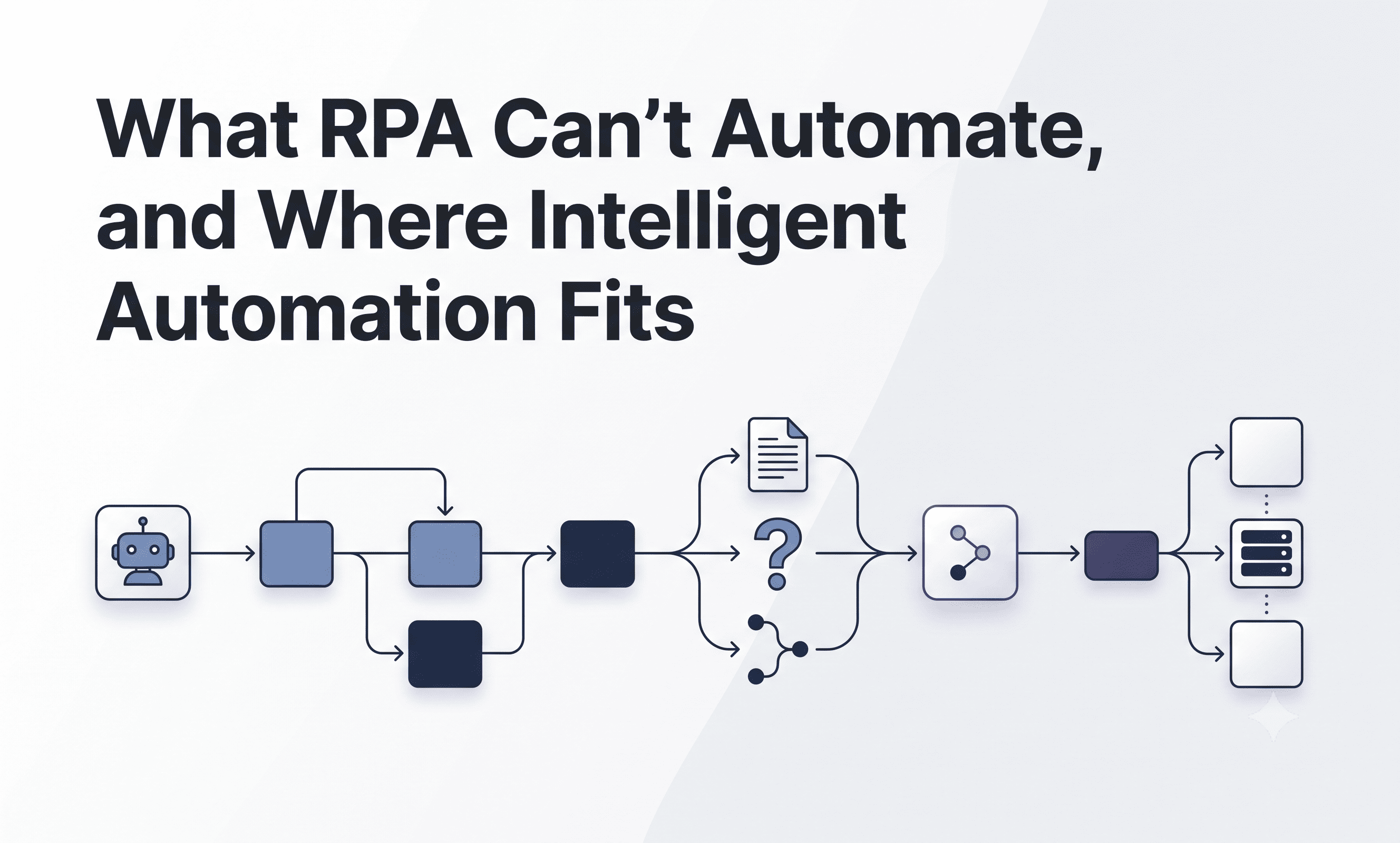
The pattern worth internalizing: RPA and intelligent automation aren’t competitors, they’re layers. RPA should handle the structured backbone of a process. Intelligent automation should handle the judgment calls and unstructured inputs sitting inside that same process. Most real workflows need both.
Is your automation stack ready for intelligent automation?
| Criteria | Readiness signal |
| Exception volume | High share of tasks routing to human queues after RPA fails: strong candidate for intelligent automation |
| Document variability | Multiple vendors, formats, or templates feeding one workflow: RPA extraction will keep breaking here |
| Judgment-based steps | Workflow includes interpreting intent, sentiment, or ambiguous policy language: this needs NLU, not more rules |
| Current bot maintenance load | Rules trees growing more complex over time to catch edge cases: a sign RPA is being pushed past its design |
| Process mapping | No current step-by-step breakdown of rules-based vs. judgment-based steps: start here before selecting any technology |
Five mistakes worth naming directly
1. Adding more rules to catch more exceptions. When a rules-based bot keeps failing on edge cases, the instinct is to expand the rule tree. This creates brittle, unmaintainable logic that breaks every time an upstream system changes, because the underlying problem, a lack of genuine interpretation capability, was never solved. It was patched around.
2. Deploying intelligent automation everywhere, including where RPA is the better fit. The opposite mistake also happens. Once AI capability exists, there’s a temptation to apply it to every automation problem, including simple, structured tasks where RPA is faster, cheaper, and more predictable.
3. Choosing the tool before mapping the process. Organizations frequently select an automation technology first and try to fit their process to it. The better sequence is mapping the process step by step, classifying each step honestly as rules-based or judgment-based, and matching the technology to the step.
4. Ignoring exception volume as a metric. Overall automation rate is a misleading success metric if a large share of “automated” tasks are actually landing in a human review queue. Measuring how much of that exception volume an intelligent layer resolves without human intervention is where the real efficiency gain shows up.
5. Assuming document processing and language understanding are the same problem. Intelligent document processing (structured extraction from variable formats) and natural language understanding (interpreting intent and ambiguity) solve different problems. Treating them as interchangeable leads to deploying the wrong tool for the workflow step in question.
A decision framework
Before automating any process, ask a simple question at each step: is this a rule, or is it a judgment call? RPA earns its keep on the rules. Everything else needs a different kind of intelligence layered on top, not a more elaborate rule tree trying to simulate judgment it was never built to have.
This layered logic underpins how ETS Labs approaches process automation work in contact center environments: structured, high-volume tasks get handled through automation frameworks, while the judgment-heavy parts of a workflow, interpreting customer sentiment or assessing whether an interaction met quality standards, are handled by AI models purpose-built for that kind of interpretation, the same category of capability behind QEval’s approach to quality coverage. More at etslabs.ai/professional-services.
Frequently asked questions
Why do RPA projects fail so often?
EY’s analysis puts the initial RPA project failure rate at 30 to 50%, driven primarily by bots that can’t handle exceptions, process variation, or unstructured data, the conditions most real business processes actually contain.
Is intelligent automation meant to replace RPA?
No. RPA remains the right tool for high-volume, rules-based, structured tasks. Intelligent automation is meant to handle the judgment-based and unstructured parts of a workflow that RPA was never built to process, layered on top of, not instead of, existing RPA.
How much enterprise data is actually unstructured?
Industry estimates, including IDC research, put unstructured data at roughly 80 to 90% of enterprise data, which is a large part of why RPA, built for structured inputs, hits a ceiling quickly in real deployments.
What’s the clearest sign a process needs intelligent automation instead of more RPA rules?
A growing share of tasks routing to a human exception queue, or a rules tree that keeps expanding to catch new edge cases without actually resolving the underlying variability.
Where should a company start if it wants to add intelligent automation to an existing RPA deployment?
Map the existing process step by step and classify each step as rules-based or judgment-based before selecting any new technology. This prevents the common mistake of choosing a tool first and forcing the process to fit it.

Related Posts

How Much Does Custom Software Development Cost? A Realistic 2026 Breakdown
What does custom software development cost in 2026? See the real cost drivers, pricing models,…
Read More

Contact Center AI: Strategic Decisions Your Organization Must Make
Six strategic decisions contact center leaders must make before choosing AI, from outcomes and augmentation…
Read More
Automated Quality Management Explained: Building QA Programs That Scale
Manual QA covers 3-5% of calls. Automated quality management covers 100%. See how contact centers…
Read More